

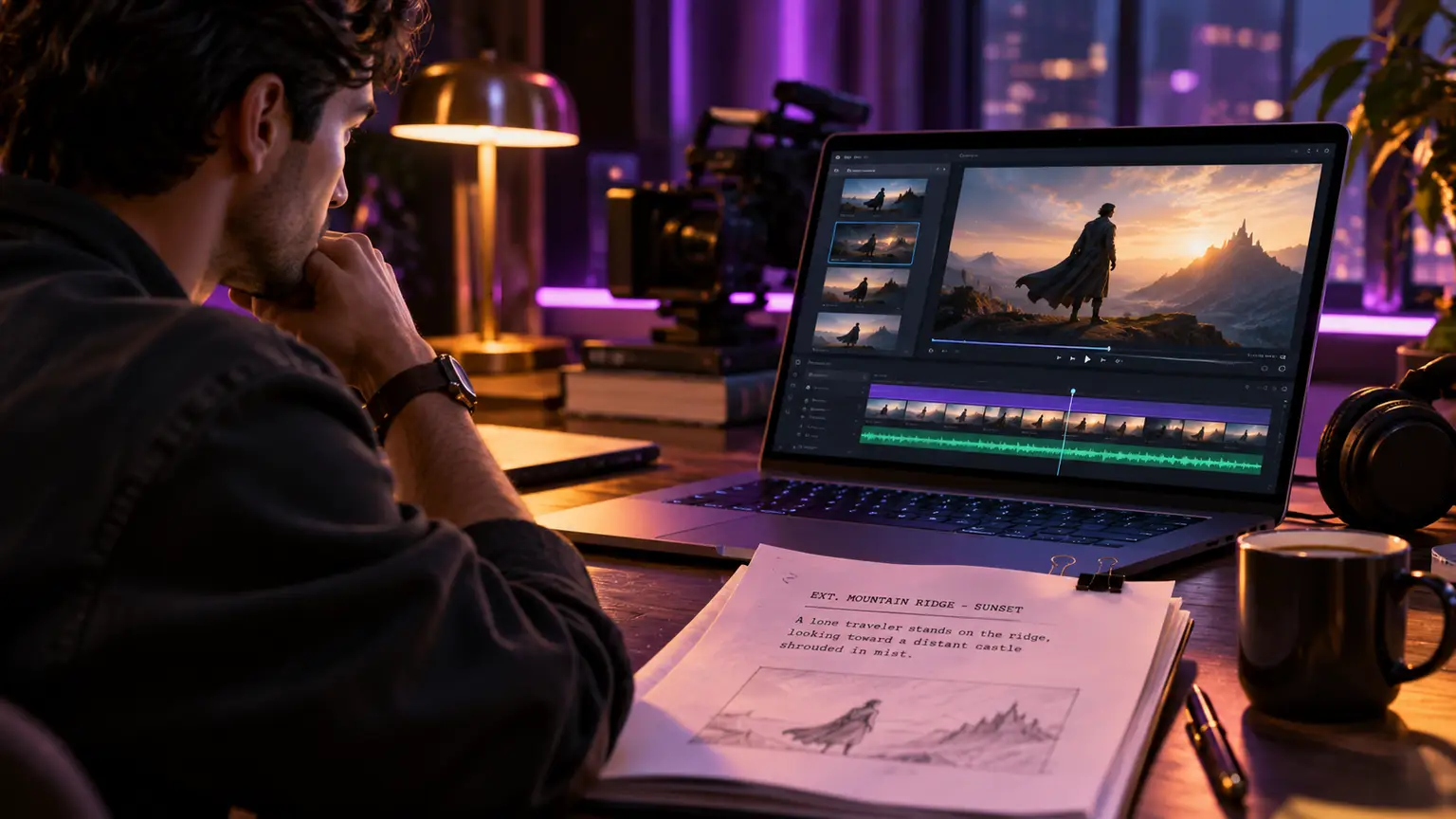
A striking AI image is not visual development. A cinematic world is. The difference appears when a character enters a second scene, when the light changes, when the camera moves closer, and the film still feels like it belongs to itself. This AI visual development guide is built for filmmakers who want more than attractive frames. It is for creators building a screen language that can survive the distance between first concept and final cut.
https://aicineo.com/create-ai-video?utm_source=chatgpt.com
Start With the Film's Visual Premise
Before opening an image or video model, write one sentence that states what the film should feel like. Not its plot. Its visual premise.
A story about a flooded future city might be described as: A drowned metropolis where memory survives in reflected light. That sentence creates decisions. It suggests surfaces, weather, color behavior, architecture, and emotional distance. It is more useful than a stack of disconnected prompt adjectives.
Then define the pressure inside the image. Is the world sterile or overgrown? Is technology invisible, improvised, ceremonial, or oppressive? Does the camera observe people from a distance, or live at their shoulder? AI tools can generate many answers quickly. Your job is to decide which answers belong to this film.
A visual premise also protects the project from the most common AI development failure: aesthetic drift. Without a clear center, each new generation becomes an opportunity to chase novelty. The result may be visually impressive, but it will not accumulate meaning.
Build a Reference System, Not a Mood Board
Mood boards are useful at the beginning. They become limiting when they are only collections of images you admire. A stronger reference system sorts material by function.
Keep separate groups for environment, character silhouette, costume and texture, lighting, lens behavior, composition, and motion. Include references from cinema, painting, photography, architecture, fashion, graphic design, and real life. The aim is not to reproduce a source. It is to identify the visual logic that makes it effective.
For each reference, add a short note about what you are borrowing. Perhaps it is the hard side-light, not the period setting. Perhaps it is the low horizon line, not the color palette. This distinction matters. Generative tools respond best when the creator understands the difference between inspiration and imitation.
The AI Visual Development Guide: Work From World to Shot
Visual development works best as a narrowing process. Begin broad, then reduce uncertainty scene by scene. Do not start by generating your hero close-up. Start with the world that makes that close-up inevitable.
Establish the World Rules
Generate wide environmental studies first. Explore the film's dominant spaces at different times of day and under different conditions. A location is not one image. It has a daytime identity, a night identity, a weather identity, and an emotional identity.
Choose a few constraints early. Decide whether the world favors naturalistic light or heightened color. Decide if materials are worn, polished, handmade, or synthetic. Decide where visual complexity belongs. A dense background may make a sparse figure feel vulnerable. A clean frame may turn one unusual object into a threat.
This stage is exploratory, so volume has value. Generate variations. Compare them side by side. But promote only a small number into the project's visual canon. The canon is the approved set of images and rules that later generations must answer to.
Design Characters as Repeatable Presences
A compelling character design must hold from far away and up close. Start with silhouette, posture, scale, and the relationship between the body and costume. Then develop the details that can recur: an asymmetric collar, a particular fabric, a controlled color accent, a ritual gesture, or a distinct way of occupying space.
Avoid treating consistency as a purely technical problem. A character can retain the same face and still feel wrong if their wardrobe, emotional temperature, or visual weight changes from scene to scene. Build character sheets that include neutral views, emotional states, key costumes, and interactions with signature environments.
If a project needs exact continuity across many shots, use the tools and workflows that support reference-driven generation, image conditioning, and controlled variation. If the film embraces dream logic or metamorphosis, less rigidity may be the right choice. Consistency is not always realism. It is fidelity to the film's own rules.
Turn Concepts Into Sequences
A single frame proves a look. A sequence proves cinema.
Take one pivotal scene and develop it as a progression: establishing image, entrance, first point of tension, reversal, close observation, exit or aftermath. At this point, composition matters more than prompt poetry. Ask what the audience knows in each frame, what remains withheld, and where the eye is being directed.
Use rough storyboards to test the scene's rhythm. They can be crude. Their purpose is to reveal whether the visual idea changes over time. If every image has the same scale, contrast, and density, the sequence will flatten even if every frame is beautiful.
Generate keyframes for the major beats, then examine them as a strip rather than as isolated artwork. Does the location remain legible? Is the emotional transition visible? Does a prop appear in the right place? These questions are where visual development becomes production thinking.
Give the Camera a Point of View
AI imagery often defaults to a polished, centered, poster-like composition. Cinema needs more range. Define how the camera behaves before you make a large number of shots.
Consider lens language, camera height, framing distance, movement, and focus behavior. A film built on long lenses and compressed space will feel fundamentally different from one that uses wide lenses close to the body. A locked camera can create ritual or unease. A drifting camera can create intimacy, surveillance, or instability. These are narrative choices, not finishing touches.
Write a few camera rules in plain language. For example: the camera never rises above the protagonist until the final act; interiors are framed through foreground obstruction; moments of truth move closer rather than becoming louder. Such rules create visual authorship, and they help collaborators evaluate generations quickly.
Do not force every scene into the same style of movement. A visual system should guide the film, not imprison it. A break in the pattern has power when the audience has learned the pattern first.
Treat Iteration as Editorial Work
The speed of AI generation can create a false belief that more options produce better decisions. Usually, too many unstructured options weaken taste. Make each round answer one question.
One round may test architecture. The next may test costume hierarchy. Another may test whether dawn scenes should feel warm or metallic. Keep the variable narrow enough that you can see what changed and why.
Name and archive promising outputs with useful information: scene, subject, camera idea, version, and status. Save the prompt, source references, model settings, and any compositing notes alongside the frame. This is not administrative clutter. It is how a visual language becomes repeatable when the project grows.
The strongest workflow moves between generation and selection. Generate with intent. Curate without sentiment. Paint over, composite, crop, edit, or rebuild when the image is close but not complete. AI is an active material, not a final authority.
Plan for the Cut Before Production Begins
Visual development should reduce risk in production, not merely fill a pitch deck. Once key sequences are established, create a practical package: selected boards, character references, location rules, key props, palette guidance, camera notes, and a sequence map.
Identify which images must be reproduced precisely and which can remain open to discovery. Hero shots, recurring characters, and story-critical spaces need stronger control. Transitional imagery, abstract inserts, and brief atmospheric moments can often tolerate more generative surprise.
Also test your images at the scale where they will be seen. A detailed frame may work as a still and collapse in motion. A subtle face may disappear on a phone screen. A dark scene may lose its structure after compression. AI cinema lives across theatrical screens, laptops, and vertical feeds. The image has to carry its intent in each context.
Protect Authorship and Trust
Use references responsibly. Do not build a project by mimicking a living artist's recognizable style or by treating other creators' work as free raw material. The more visible AI cinema becomes, the more its standards will define its cultural legitimacy.
Be clear within your team about what was generated, what was altered, and what requires additional rights review. If a likeness, voice, identifiable place, or brand element appears in the work, evaluate it before release. Creative freedom and production discipline are not opposing forces. They allow ambitious work to reach an audience without avoidable confusion.
AI cinema is not defined by the tool used to make a frame. It is defined by the decisions that connect frames into a world. Build that world with enough intention that viewers can feel its gravity before they know how it was made. That is the territory AICINEO exists to recognize: images becoming motion pictures, and experiments becoming a medium.