

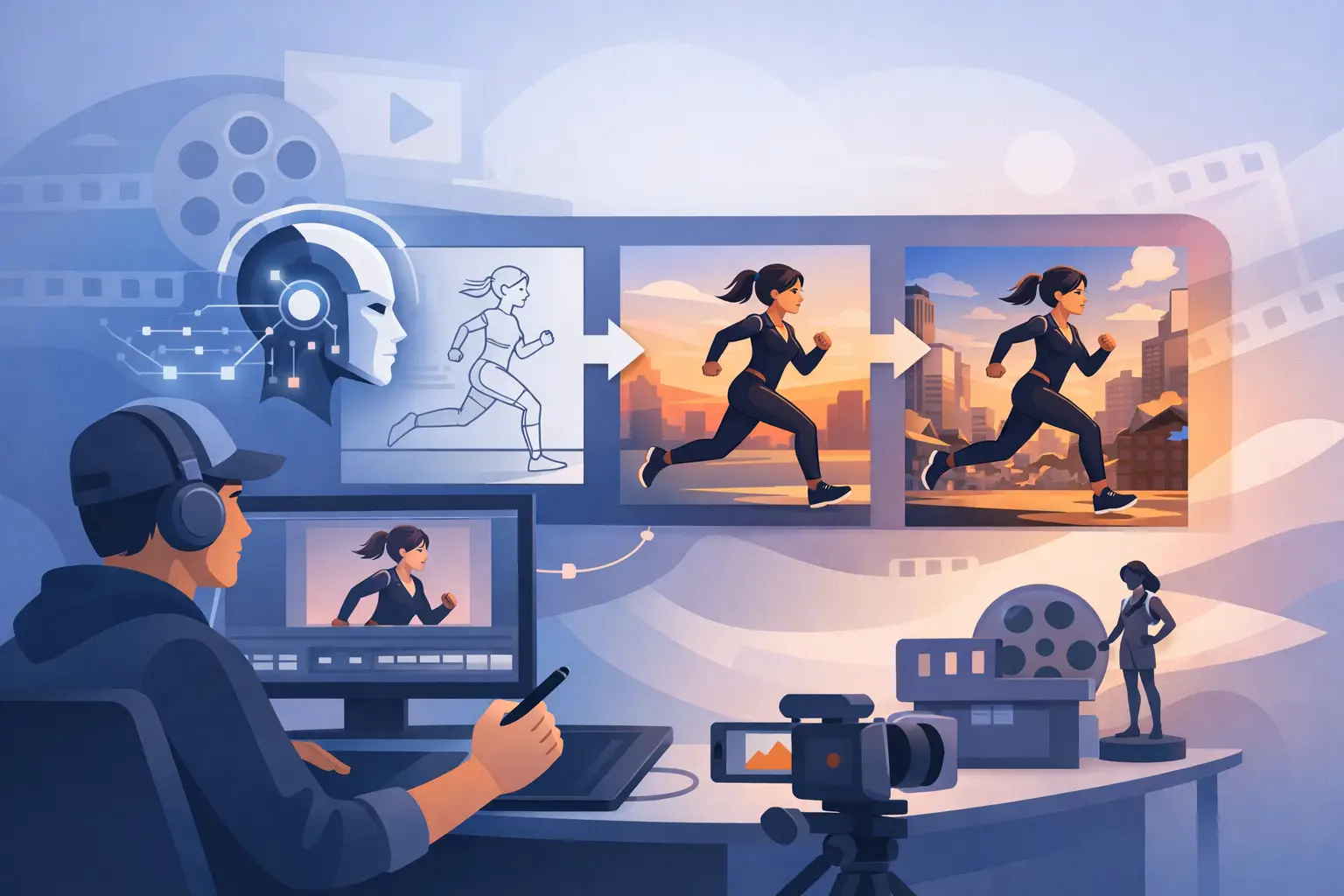
A striking AI shot is easy to admire and hard to build a film around. The real work begins after the first beautiful frame: preserving character identity, controlling motion, cutting for emotion, and making every image belong to the same world. An AI animation workflow for indie filmmakers is not a prompt sequence. It is a production system for turning generative possibility into cinematic intention.
For independent directors, this changes the economics of animation without removing the discipline. AI can extend a small team, create impossible locations, and accelerate visual development. It can also create inconsistency, false momentum, and an endless folder of almost-right clips. The difference is workflow.
Start With the Film, Not the Tool
Before generating images, define what the film needs to make the audience feel. A one-page visual premise is often more useful than a long technical brief. Name the emotional temperature, the time period, the camera language, the color logic, and the degree of realism. Is the film a fever dream with fragmented motion? A restrained drama observed in long takes? A graphic, stylized fable where the frame behaves like a painting?
This document becomes the production's compass when outputs begin to multiply. It also prevents a common AI-cinema failure: treating every scene as a chance to introduce a new visual trick. Spectacle has value, but a film needs rules. The audience may not articulate them, yet they feel when a world has internal coherence.
Write the script in units of action, not only dialogue. For each beat, identify who wants what, what changes, and what image carries the turn. AI animation is strongest when it is asked to support a clear dramatic function. A close-up that registers doubt is more useful than a technically impressive but emotionally empty camera move.
Build a Visual Bible Before Production
The visual bible is where an AI-led project becomes a film rather than a collection of prompts. Keep it compact, usable, and visual. It should establish the elements that must remain stable across the production.
Create character sheets with front, profile, and three-quarter views, along with costume variations and expression references. Establish scale references for major locations. Define a color palette, lighting conditions, lens tendencies, framing preferences, texture, and acceptable imperfections. If your protagonist has a scar, a particular silhouette, or a specific way of moving, document it early.
The same applies to environment. A city is not just architecture. It has weather, density, signage, materials, ambient light, and a relationship to the characters moving through it. A few approved reference frames can do more for continuity than hundreds of descriptive words.
This stage is also where filmmakers should decide what must be generated and what should be made conventionally. A hand-drawn title treatment, practical sound recording, a photographed prop, or a live-action performance reference can give the work a human anchor. AI cinema does not require every pixel to be synthetic. It requires a clear authorship of the final experience.
The AI Animation Workflow for Indie Filmmakers
A reliable workflow moves from broad exploration to controlled execution. Do not generate final shots while the story and visual identity are still unstable. That creates expensive revisions, even when the software itself appears inexpensive.
1. Design frames before you design motion
Begin with keyframes, look frames, and a rough storyboard. Generate multiple interpretations of the same narrative moment, then select the one that best serves the film. This is a directing decision, not a popularity contest among images.
Once a frame is approved, record how it was made: reference inputs, prompt language, aspect ratio, model or tool version, seed when available, and any compositing or paint-over work. Treat this as shot documentation. Generative systems change quickly, and a result you love may be difficult to recreate later without a record.
For longer projects, create a small library of approved assets. This may include hero character images, location plates, costume references, palette cards, and texture overlays. The library becomes your continuity department.
2. Animate in short, editable passes
Long AI-generated shots often drift. Faces change, objects mutate, camera physics become unstable, and the original composition gets lost. Shorter clips offer greater control and make editorial decisions easier.
Think in shots of a few seconds, then build rhythm in the edit. Establishing shots can breathe. Reactions can be brief. A transition can occur through a motivated movement, a sound bridge, or a deliberate visual rupture. The audience does not need a single uninterrupted generated take to believe in a scene.
Use image-to-video or reference-driven animation when continuity matters most. Text-only generation can be valuable during development or for dreamlike transitions, but it introduces more variance. The right method depends on the shot. A surreal montage may benefit from instability. A conversation between recurring characters usually does not.
3. Separate generation from finishing
Generation is only one department. Export the strongest clips into an edit, then build the film with conventional post-production judgment. Reframe, stabilize when appropriate, clean artifacts, composite elements, adjust timing, grade images, and treat sound as a primary storytelling layer.
Editing is where disparate outputs begin to feel intentional. A slightly imperfect shot can work if it arrives at the right moment. A pristine shot can fail if it breaks pace or redirects attention away from the scene's emotional center.
Sound deserves early attention, not a final-week rescue. Design room tone, environmental texture, music, dialogue, and silence alongside the visual edit. Sound can unify shots made in different tools or at different stages. It establishes physical presence where generated imagery may feel weightless.
4. Maintain a shot ledger
For an indie production, a simple shot ledger is essential. Track scene number, shot purpose, visual reference, source files, status, revision notes, and final export. Add a continuity note for character appearance, location conditions, and screen direction.
This is not bureaucracy. It is creative protection. Without a ledger, teams repeatedly regenerate solved problems and lose time searching for the version that actually worked. With one, the director can focus on whether a scene lands.
Direct the Imperfections
AI animation still produces accidents. Some are technical failures. Others are expressive openings. The craft is knowing the difference.
A warped hand in a pivotal close-up may break the scene. An impossible shift in a hallway may become the film's best moment if the story has prepared us for instability. Do not flatten every image into generic polish. Decide which imperfections belong to the language of the film and which ones interrupt it.
This is especially relevant for experimental work. AI cinema can hold discontinuity, mutation, compressed time, and impossible perspective in ways traditional pipelines make costly. But the visual freedom needs a point of view. Strange images become cinema when they are arranged with purpose.
Avoid designing the film around whatever a model happens to do well this month. Tools improve, features disappear, and results vary. Build the project around story, editorial rhythm, and a visual system that can survive a tool change.
Plan for Rights, Consent, and Disclosure
Independent filmmakers should address provenance before release, not after a screening invitation arrives. Keep records of source assets, licenses, performer agreements, music permissions, and the tools used in production. If a voice, face, or recognizable creative contribution is involved, secure clear permission.
The legal and ethical landscape remains uneven across regions and platforms. That does not excuse vagueness. Be precise about what was generated, what was filmed or created by people, and who authored the final work. Transparency can strengthen audience trust, particularly when the film uses realistic human likenesses or documentary language.
The goal is not to make a disclaimer the center of the work. It is to protect the work, the collaborators, and the audience from avoidable confusion.
Make Time for Curation
The hidden cost of generative production is selection. A filmmaker can create hundreds of candidates for one shot, but more options do not automatically produce better decisions. Set review limits. Choose a small number of viable directions, compare them against the visual bible, and move forward.
A useful test is simple: if a viewer saw this shot without being told it was AI-generated, would it still carry the scene? If the answer is no, the issue may be the shot's dramatic role rather than its technical quality.
AI cinema gives independent filmmakers a new kind of production capacity. The opportunity is not to generate more images. It is to make choices with greater precision, then give those choices enough discipline to become a world an audience can enter.